Micro Base Station Software Upgrade Settings Page - mBS Tab
|
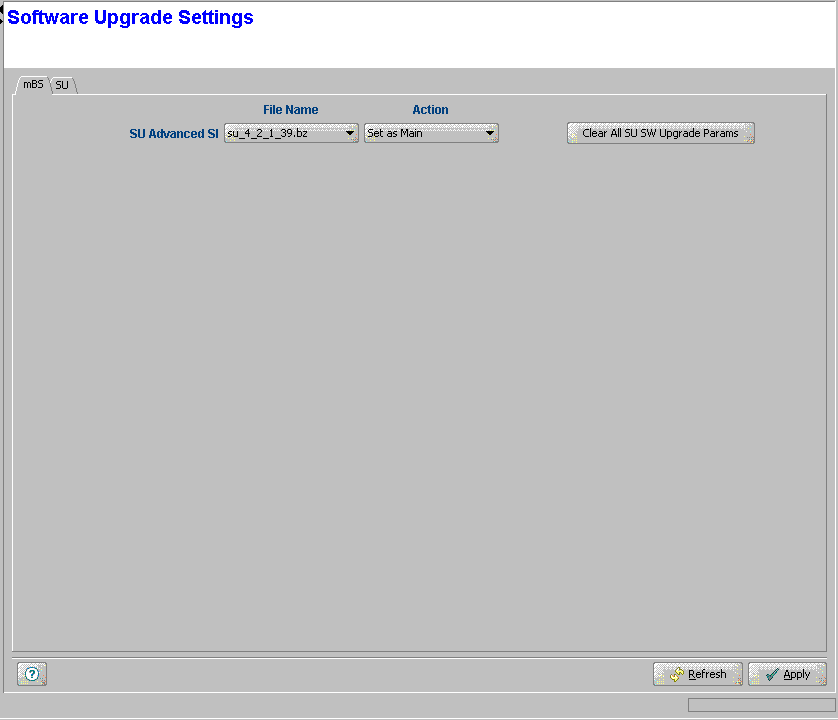
The mBS tab of the Software Upgrade page enables an efficient and simple-to-manage upgrade process, by defining the SW File and Action for all SUs served by the Micro Base Station.
These are the SW File and associated Action that will be used for an SU after network entry. The SW File Name and Action are applicable to all SUs served by the Micro Base Station. They are not applicable to any Permanent SU whose configured SW File Name in the SU tab is other than None (null).
The mBS tab includes the following components:
Parameter/Button |
Description |
File Name |
The Name of the SW File to be used for upgrading an SU. Should be one of the SU SW Files currently stored in the Micro Base Station, or None (null). |
Action |
The operation to be performed with the specified SW File after network entry. The available options: None (do not load), Load to Shadow, Run from Shadow or Set as Main. Both File Name and Action must be configured (different than None) to properly define the upgrade process. Not applicable for any Permanent SU whose configured SW File Name in the SU tab is other than None (null). |
Clear All SU SW Upgrade Params |
Delete all SU SW Files and Actions (the SU File Names and Actions configured in the SU tab) in all Permanent SUs served by the Micro Base Station. |
|
|

