Voice Domain Page
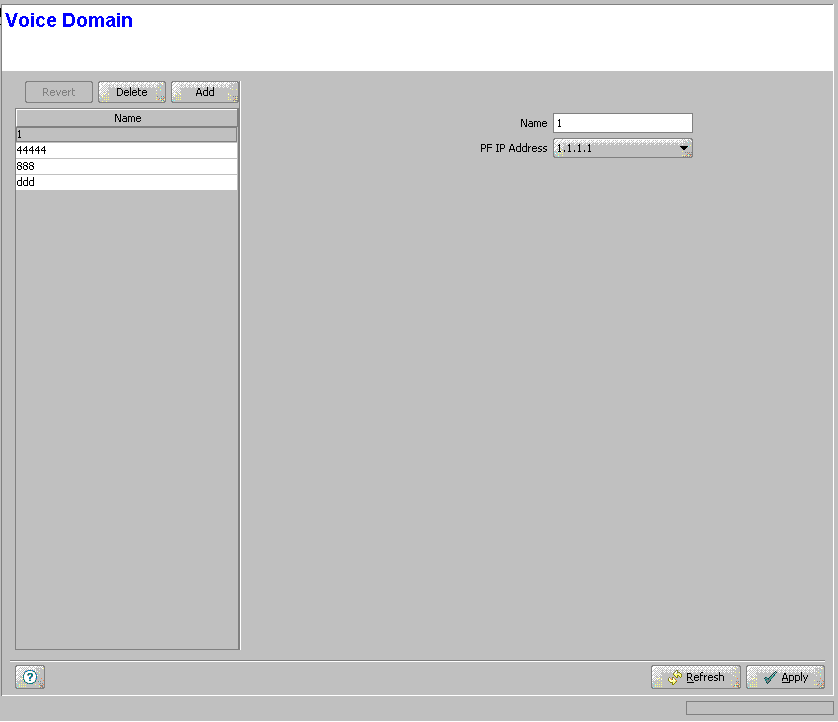
The Voice Domain page displays a list of all Voice Domains in the database of the device. It also enables modifying existing Voice Domains, deleting Voice Domains from the device, and defining new Voice Domains. The Voice Domain entity is applicable only to Managed VoIP Services in a Micro Base station (using Ethernet CS Switching Mode) or to IP Mode Managed VoIP Services in IP CS Switching Mode. The device can hold up to 5 Voice Domains.
|
The Voice Domains page comprises two sections: The Voice Domains Table (on the left side) and the Voice Domain Editor section (on the right side). The Editor is available only when either selecting a Voice Domain in the Voice Domains Table for viewing/modifying its parameters, or adding a new Voice Domain.
The Voice Domains table provides the Names associated with the existing Voice Domains.

|
To view the details of a Voice Domain: |
Select a Voice Domain's entry. The current Voice Domain configuration details will be displayed on the right side of the page.
|
To delete Voice Domain(s) from the device: |
Select one or several Voice Domain entries, click on the Delete button and then click Apply to remove the selected Voice Domain(s) from the device. If you want to cancel the requested delete operation before clicking Apply, click on the Revert button.
|
To add a new Voice Domain: |
Click on the Add button. The Voice Domain Editor will be displayed on the right side of the page. To add a new Voice Domain to the database of the device, fill in the necessary parameters and click Apply.
|
To modify an existing Voice Domain: |
Select a Voice Domain's entry. The current Voice Domain configuration details will be displayed on the right side of the page, enabling modification of parameters. Click Apply to update the Voice Domain's configuration.
Voice Domain Configuration Parameters:
Parameter |
Description |
Name |
The name of the Voice Domain. The Voice Domain Name comprises a string of 1 to 32 printable characters. |
PF IP address |
The IP Address of the Policy Function associated with the Voice Domain. The same PF IP Address may be associated with several Voice Domains. The PF IP Address must be the IP Address of one of the Policy Servers available in the database (see "Modular Base Station PF Parameters Page" or "Micro Base Station PF Parameters Page" ). |
|
|

