Subscribers Page
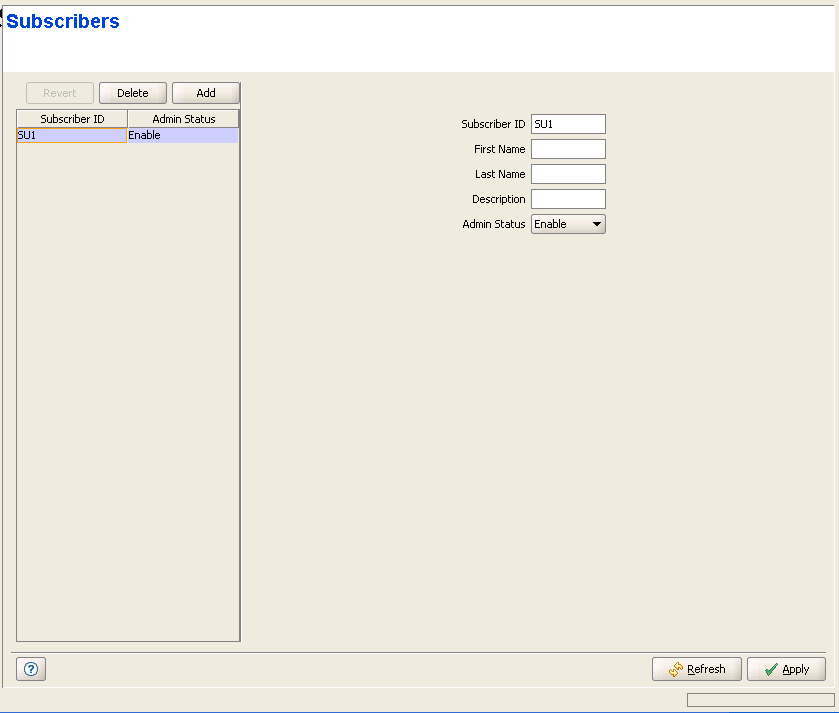
The Subscribers page is not applicable in IP CS Switching Mode.
The Subscribers page displays a list of all Subscribers in the database of the device. It also enables modifying existing Subscribers, deleting Subscribers from the device, and defining new Subscribers. The Subscriber entity is applicable only to Permanent Services (services that are defined in the device's database and are provisioned to Permanent SUs). The device can hold up to 1024 Subscribers.
|
The Subscribers page comprises two sections: The Subscribers Table (on the left side) and the Subscriber Editor section (on the right side). The Editor is available only when either selecting a Subscriber in the Subscribers Table for viewing/modifying its parameters, or adding a new Subscriber.
The Subscribers table provides the following details for each of the existing Subscribers:
Parameter |
Description |
Subscriber ID |
The Subscriber ID (Name). |
Admin Status |
The administrative status of the Subscriber. |

|
To view the details of a Subscriber: |
Select a Subscriber's entry. The current Subscriber configuration details will be displayed on the right side of the page.
|
To delete Subscriber(s) from the device: |
Select one or several Subscriber entries, click on the Delete button and then click Apply to remove the selected Subscriber(s) from the device. If you want to cancel the requested delete operation before clicking Apply, click on the Revert button.
|
To add a new Subscriber: |
Click on the Add button. The Subscriber Editor will be displayed on the right side of the page. To add a new Subscriber to the database of the device, fill in the necessary parameters and click Apply.
|
To modify an existing Subscriber: |
Select a Subscriber's entry. The current Subscriber configuration details will be displayed on the right side of the page, enabling modification of parameters. Click Apply to update the Subscriber's configuration.
Subscriber Configuration Parameters:
Parameter |
Description |
Subscriber ID |
A Subscriber ID (Name) consists of up to 32 printable characters The Subscriber ID must be unique for the entire network. |
First Name |
An optional parameter for information purposes. A First Name consists of up to 50 printable characters. |
Last Name |
An optional parameter for information purposes. A Last Name consists of up to 50 printable characters. |
Description |
An optional parameter for information purposes. A Description consists of up to 50 printable characters |
Admin Status |
The administrative status of the Subscriber can be either Enable or Disable. Select Disable to disable all services to the Subscriber. |
|
|

