Default Operational Settings Page (modular Base Station, Ethernet CS Switching Mode)
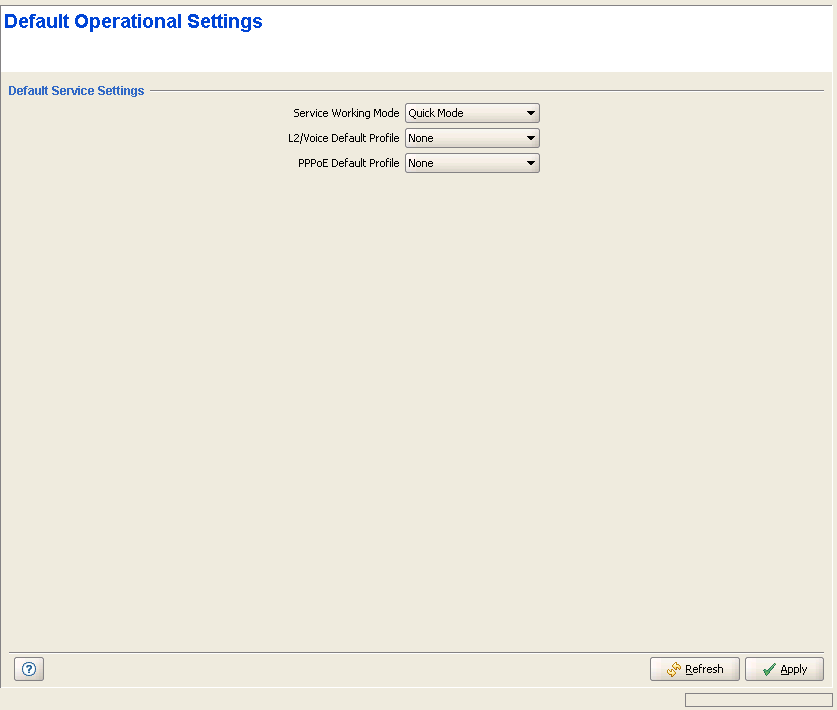
Default Operational Settings Page
The Default Operational Settings page enables viewing and modifying the Service Working Mode and Default Services.
|
The Default Operational Settings page includes the following parameters:
Parameter |
Description |
Service Working Mode |
The Service Provisioning Mode: Advanced or Quick. Read-only (Advanced Mode) in IP CS Switching Mode. |
L2/Voice Default Service (modular
Base Station), or |
Not applicable in IP CS Switching Mode. The default L2 or Voice or Managed VoIP (in Micro Base Station only) Service Profile to be used by temporary SUs in Quick Mode if rejected by the RADIUS Authentication server (or if a RADIUS Authentication server is not available), provided it uses the "quick" User Password "quickynikinyoky". Available profiles - any of the relevant Service Profiles existing in the device's database, or None. |
PPPoE Default Service |
Not applicable in IP CS Switching Mode. The default PPPoE Service Profile to be used by temporary SUs in Quick Mode if rejected by the RADIUS Authentication server (or if a RADIUS Authentication server is not available), provided it uses the "quick" User Password "quickynikinyoky". Available profiles - any of the PPPoE Service Profiles existing in the device's database, or None. |
|
|

