Traps Control Page
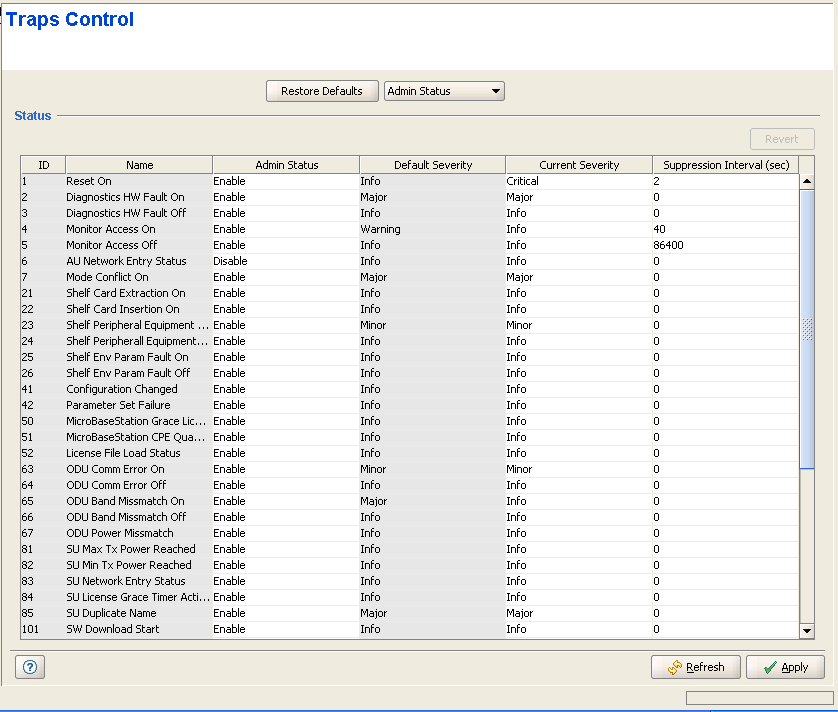
The Traps Control page enables viewing the current parameters of all traps and modifying the parameters of selected traps. It also enables restoring the configuration of all modified traps to their default values.
|
The Traps Control page includes a traps Status table that displays the following properties for each trap:
Parameter |
Description |
ID |
A read-only display of the trap's Enterprise ID. Note that for standard MIB II traps, the private enterprise IDs 128 to 132 are used instead of the actual SNMP enterprise IDs 1 to 5. |
Name |
A read-only display of the trap's name. |
Admin Status |
The Administrative Status of the trap. If the Admin Status is set to Disable, this trap will not be sent by the managed device. The available options are Enable and Disable. |
Default Severity |
A read-only display of the trap's factory default severity level. |
Current Severity |
The current severity configured for the trap. The available options are Critical, Major, Minor, Warning and Info. |
Suppression Interval |
The Suppression Interval is the minimum time between consecutive transmissions of the same trap. This parameter can be used to prevent excessive retransmissions of the same trap. The available range is from 1 to 86,400 (seconds) or 0 for no suppression. |
For more information on the traps see the Traps and Alarms document.

|
NOTE |
The table includes all BreezeMAX traps. Note that some of the traps are applicable only for one base station type: some traps are not applicable for a Micro Base Station, and some traps are not applicable for a modular Base Station. |
The Restore Defaults button at the top of the page, together with the drop-down menu next to it, enables restoring all traps to their default configuration.
The available options in the drop-down menu and the respective effect on configuration of all traps upon clicking on the Restore Defaults button are:
Option |
Restore Defaults Operation |
Admin Status |
The Admin Status of all traps will be set to the default Admin Status of Enable. |
Severity |
The Current Severity for each trap will revert to the default severity as displayed in the Default Severity entry for the trap. |
Suppression Interval |
The Suppression Interval of all traps will be set to the default Suppression Interval of 0 (no suppression). |
All |
All parameters of all traps will be set to their default values as defined above. |
|
|

