Filters Page - L2 Tab
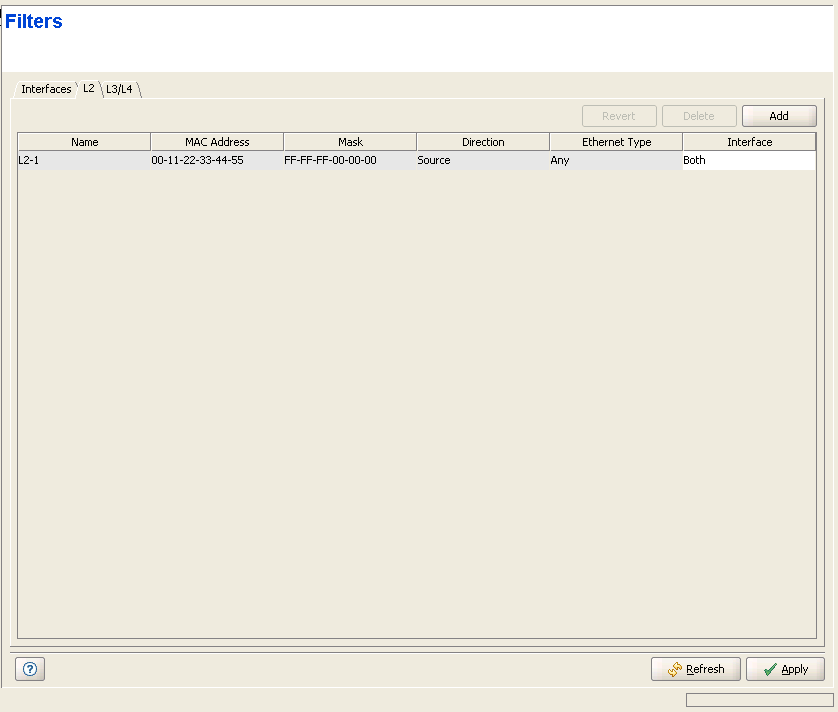
The L2 tab enables defining up to 255 L2 Filtering Rules and optionally associating each Rule with the Wireless and/or Network Interface.
|
The L2 tab includes a table with the following parameters for each entry:
Parameter |
Description |
Name |
The name of the L2 Rule. The L2 Rule Name is a string of 1 to 32 printable characters. |
MAC Address |
The MAC Address. A string of 6 octets (where each octet is represented by two hexadecimal numbers) separated by dashes ("-"). An empty entry means "Any". An "Any" MAC Address means that the filter is defined only by the Ethertype field. The MAC Address (if not defined as "Any") is the base MAC Address that is used together with the MAC Address Mask to define a range of MAC addresses. |
Mask |
The Mask is not applicable in a Micro base Station. In a modular Base Station, this is the mask used together with the MAC Address to define a range of MAC addresses. A string of 6 octets (where each octet is represented by two hexadecimal numbers) separated by dashes ("-"). In a binary representation the string must comprise a series of contiguous binary '1's starting from the MSB, followed by a series of contiguous binary '0's (if the range includes more than a single address). The MAC Address Mask is not applicable for an "Any" MAC Address. |
Direction |
The direction (Source or Destination) of the MAC Address. Indicates whether the range defined by the MAC Address and MAC Address Mask is for the Source MAC Address field or the Destination MAC Address field in the Ethernet frame. The MAC Address Direction parameter is not applicable to "Any" MAC Address. |
Ethernet Type |
The Ethertype of the Ethernet frame. The Ethertype is defined by 4 hexadecimal digits. A selection of some popular Ethertypes is also available. "Any" is applicable only if a MAC Address range is defined (the combination of "Any" for both the MAC Address and Ethertype is not allowed). Enter tne required Ethertype (up to 4 hexadecimal digits) or select an Ethetype (or Any) from the drop-down menu. |
Interface |
The Interface(s) that will use this Filtering Rule if the selected Active Filter Type (see "Interface Tab" ) is L2. The available options are None, Wireless, Network and Both. |

|
NOTE |
L2 Filtering Rules cannot be edited. To modify an existing Rule, delete it and then define it as a new Rule using the Add option. |
|
|

