Filters Page - Interface Tab (BS)
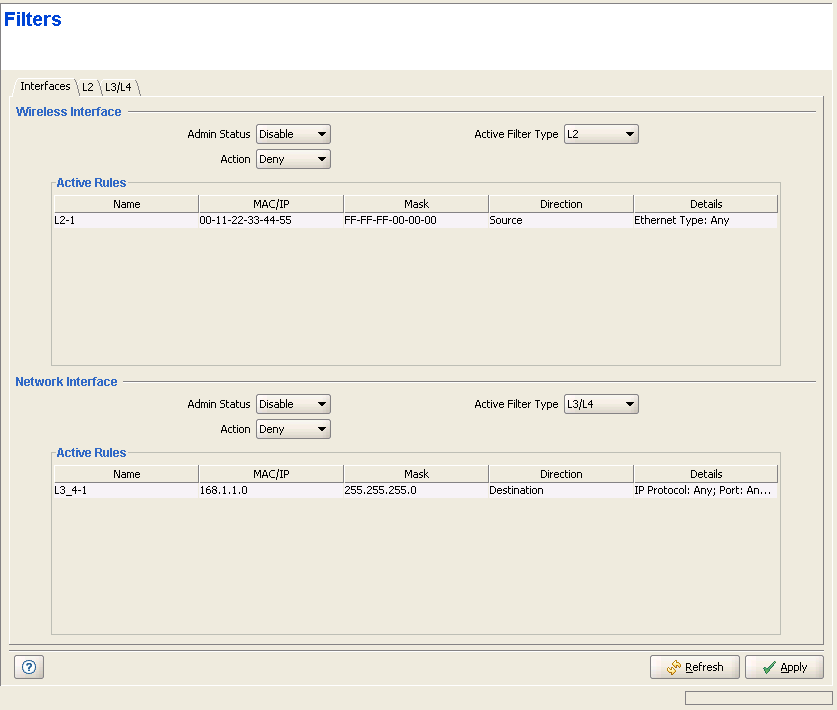
The Interface tab enables defining the filtering mechanism to be used on each of the interfaces, and applying the chain of rules on each interface type.
|
For each interface (Network and Wireless), the following parameters are available:
Parameter |
Description |
Admin Status |
Defines whether the filtering mechanism is enabled or disabled. |
Action |
Defines whether the Filtering Rules are inclusive (Allow) or exclusive (Deny). The applicable Filtering Rules are all Filtering Rules belonging to the selected Active Filter Type that are associated with the relevant Interface. If the Action is Allow, all frames matching any of the applicable Filtering Rules will be forwarded, and all other frames will be discarded. If the Action is Deny, all frames matching any of the applicable Filtering Rules will be discarded, and all other frames will be forwarded. |
Active Filter Type |
Defines which of the Filtering Rules List is used. The available options are L2 and L3/L4. |
In addition, for each Interface the Active Rules table displays the list of applicable Filtering Rules that are associated with the Interface.
|
|

