Performance Page
|
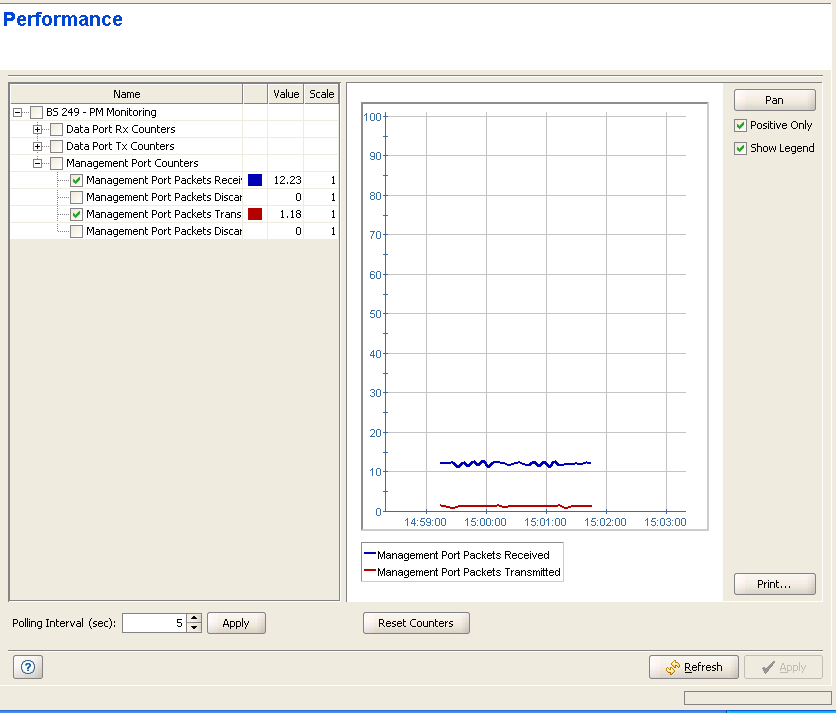
The Performance page enables on-line monitoring of graph(s) for selected counters. The graph for each counter that accumulate data displays the counter rate, defined as: (Current Value-Previous Value)/Polling Interval (seconds). For status counters (such as the SU Radio Counters), the absolute value is displayed.

|
NOTE |
The rate calculation will always use the actual time between the two polling activities, including the network/device overheads. |
The Performance pages include two sections: the counters selection section and the graph and control buttons section. For convenient viewing of the required information, you can change the relative sizes of the two sections, by dragging the line separating them.
• "The Counters Selection Section"
• "The Graph and Controls Section"
|
|

