The Device Manager Window
|
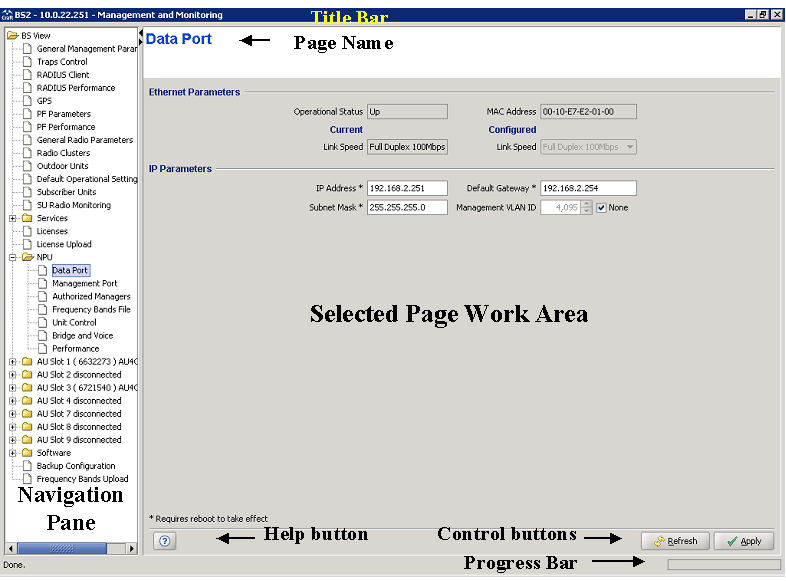
The Device Manager window comprises the following components:
Component |
Description |
Title Bar |
Identifies the managed device's name. It also includes standard icons for minimizing, maximizing or closing the Device Manager. |
Navigation Pane |
Displays all configuration/information pages and enables opening a selected page by clicking on it. |
Selected Page |
The selected page. Enables viewing/managing the applicable parameters. |
|
|

