Micro Base Station Software Upgrade Page
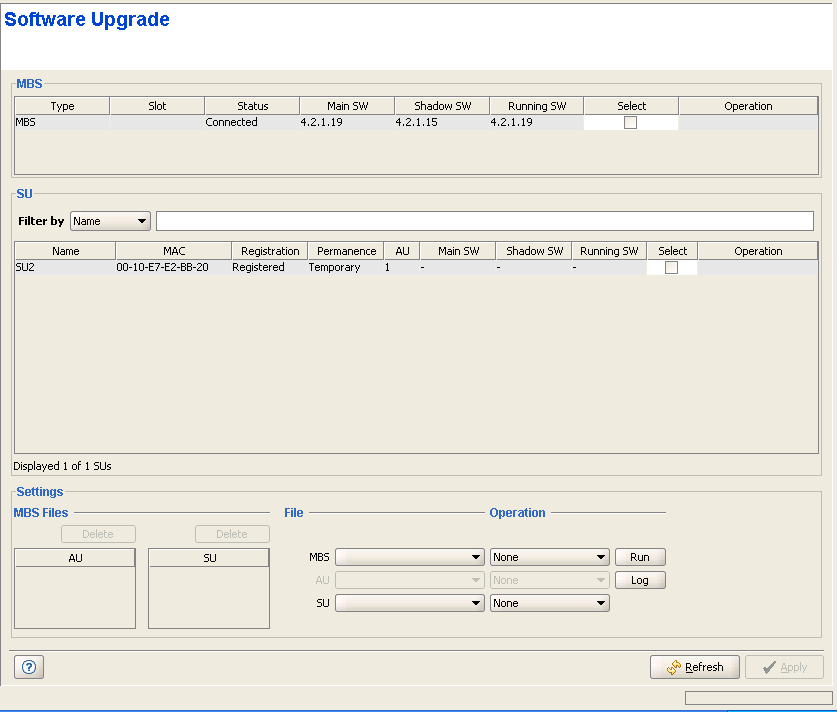
Micro Base Station Software Upgrade Page
The Software Upgrade Page enables loading the requested software files to the shadow memory of the devices using TFTP, and optionally activating the new software version.
Software Upgrade consists of several actions that need to be performed:
• Selecting the devices to be included in each software upgrade process
• Defining the software file(s) to be loaded
• Defining the actions that should take place once the new software file is loaded into the Micro Base Station and/or SU(s).
The files to be loaded should be available either in the Micro Base Station or in the PC running the AlvariCRAFT application.
The system will automatically identify the files and use the correct file for each device type. To ensure a smooth upgrade process while minimizing the risk of loosing connectivity to the device, the order of upgrading devices is: first the SUs, then the Micro Base Station.
|
The Software Upgrade page includes the following sections:
|
|

